

Updated October 2026
A DED payment voucher is the official invoice from the Dubai Department of Economic Development for your mainland trade licence fees, and it stays valid for 30 days from issue. Paying it correctly is one of the last steps that turns an approved file into a formalised business licence in mainland Dubai.
Renewing your trade license?
Inpro handles DED payments, renewals and all the paperwork, so you don’t have to. 850+ founders supported.
Talk to our PRO team →If you’re at this stage, you’re usually close to launch, renewal, or an amendment that can’t wait. Founders in Dubai, Abu Dhabi, Sharjah, and across the wider UAE often assume the hard part is over once documents are submitted. In practice, this voucher is where small errors, missed expiry dates, wrong reference numbers, or card authentication issues can stall a file that was otherwise ready to complete.
Table of Contents
- Your Guide to the DED Payment Voucher
- What Is a DED Payment Voucher
- How to Get Your Payment Voucher
- How to Pay the DED Voucher Online and Offline
- Common Payment Voucher Mistakes to Avoid
- Let Inpro Manage Your UAE Business Compliance
Your Guide to the DED Payment Voucher
A DED payment voucher is an official invoice issued after your documents have been accepted for a mainland Dubai business process. It sets out the exact charges tied to your file, which can include licence fees, penalties, or fines, and it is generated only after all documents are successfully submitted online, as explained by Arnifi’s guide to DED payment mode in the UAE.
For new founders in the United Arab Emirates, this document often feels more mysterious than it is. In practice, it’s a checkpoint. The government has reviewed the submission, calculated the payable amount, and is now waiting for settlement before releasing the next outcome, such as a renewed trade licence.
Practical rule: Treat the voucher like a banking instruction, not a casual invoice. One wrong detail can stop the payment even when everything else on the file is correct.
The part that catches people out is timing and accuracy. Some readers are setting up a mainland entity in Dubai for the first time. Others are HR managers handling renewals, freelancers changing status, or international entrepreneurs comparing mainland and free zone options. The workflow is manageable, but only if you read the voucher properly, pay it through the right channel, and keep the confirmation record.
What Is a DED Payment Voucher
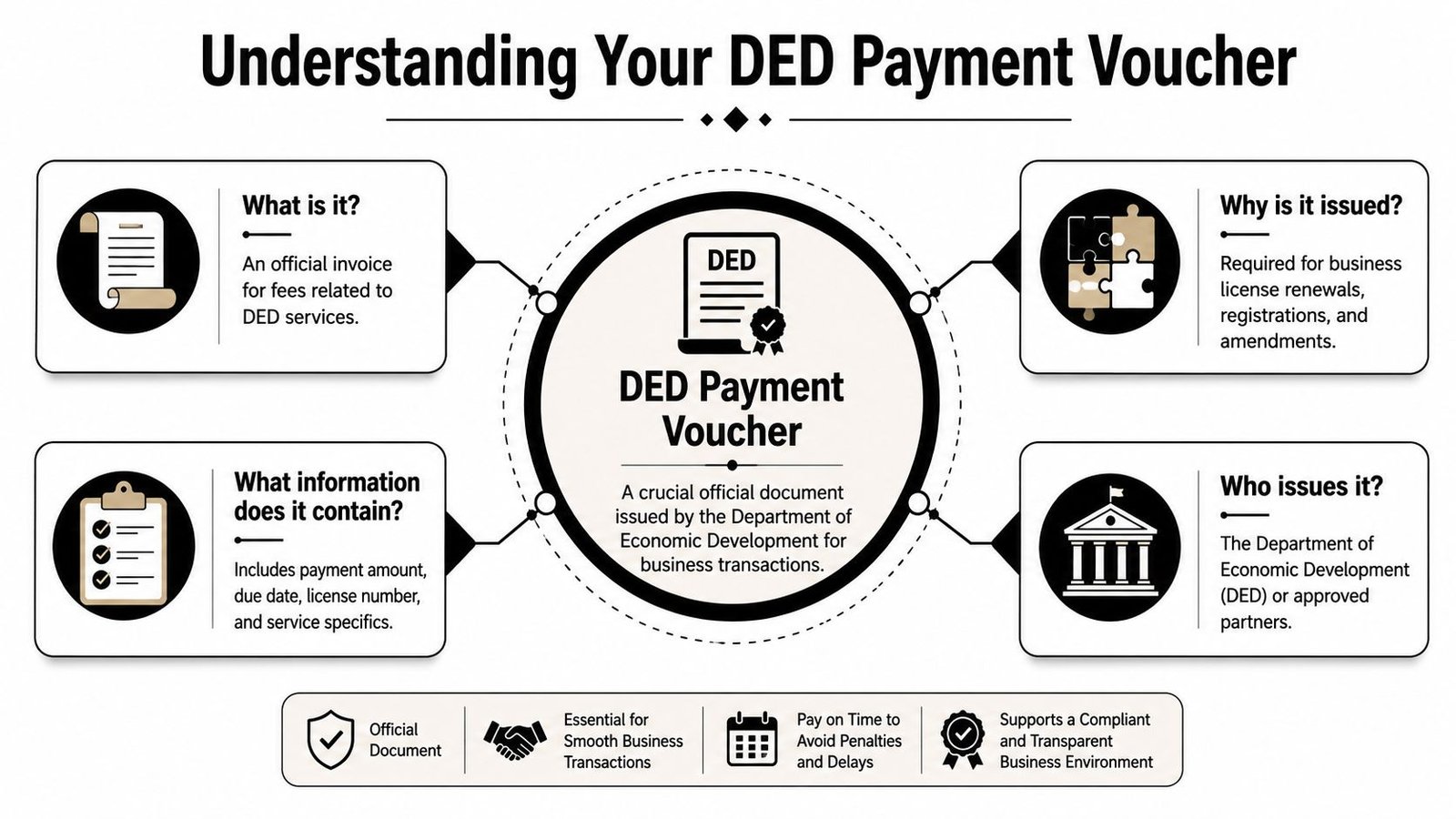
A DED payment voucher is the government payment notice issued once a mainland Dubai business file reaches the billing stage. It sets out the exact amount due for the service attached to your application, such as licence issuance, renewal, amendment, or penalty settlement. Until that amount is paid correctly, the file usually does not move to the next approval or issuance step.
What is the DED in this context
DED refers to the Dubai Department of Economic Development, the authority long associated with mainland licensing in Dubai. In current government usage, many founders will also see references to the Dubai Department of Economy and Tourism. In practice, the term “DED payment voucher” is still widely used by applicants, typing centres, accountants, and PRO teams.
The distinction is important because mainland procedures in Dubai differ from free zone processes. A founder who has previously dealt with a free zone invoice can easily assume the same rules apply here. They do not. If your company file sits under the mainland licensing system, this voucher is part of that compliance track and must be handled according to that process.
What is included on the voucher
The voucher is the formal fee breakdown for your file. It identifies the business, states the service being processed, and lists the charges that must be settled before the transaction can proceed.
It typically includes:
- Business details such as the trade licence number and company name
- Service details showing the transaction linked to the payment
- Fee lines covering licence fees, government charges, or penalties where applicable
- Reference details used to match payment to the correct file
- Issue and expiry details showing whether the voucher is still valid
This document does more than show a balance due. It also signals that the application has cleared an earlier review stage and is now waiting for payment. That is why small errors here cause outsized delays. If the service line is wrong, if a discount window was missed, or if the voucher expires before payment, the file can stall and may need to be reissued.
What is the PRN or transaction reference
PRN means Payment Reference Number. It is the key identifier used to connect your payment to the correct government transaction. If the number entered at payment does not match the voucher, the system may reject the payment or leave the file unmatched until someone manually checks it.
This is one step where experienced PROs slow down on purpose. They copy the number directly from the voucher, confirm the service description, and check the amount before paying. Founders often focus only on the total. The safer workflow is to verify all three points together: the PRN, the service type, and the payable amount.
That check takes a minute. Fixing a misapplied payment usually takes much longer.
How to Get Your Payment Voucher
You submit the file, expect to pay the same day, and then the voucher does not appear where you expect. That is a common point of delay for new founders. Getting the DED payment voucher is straightforward once the file has reached the right stage, but small process mistakes can add extra calls, another centre visit, or a full reissue.
What is the fastest option
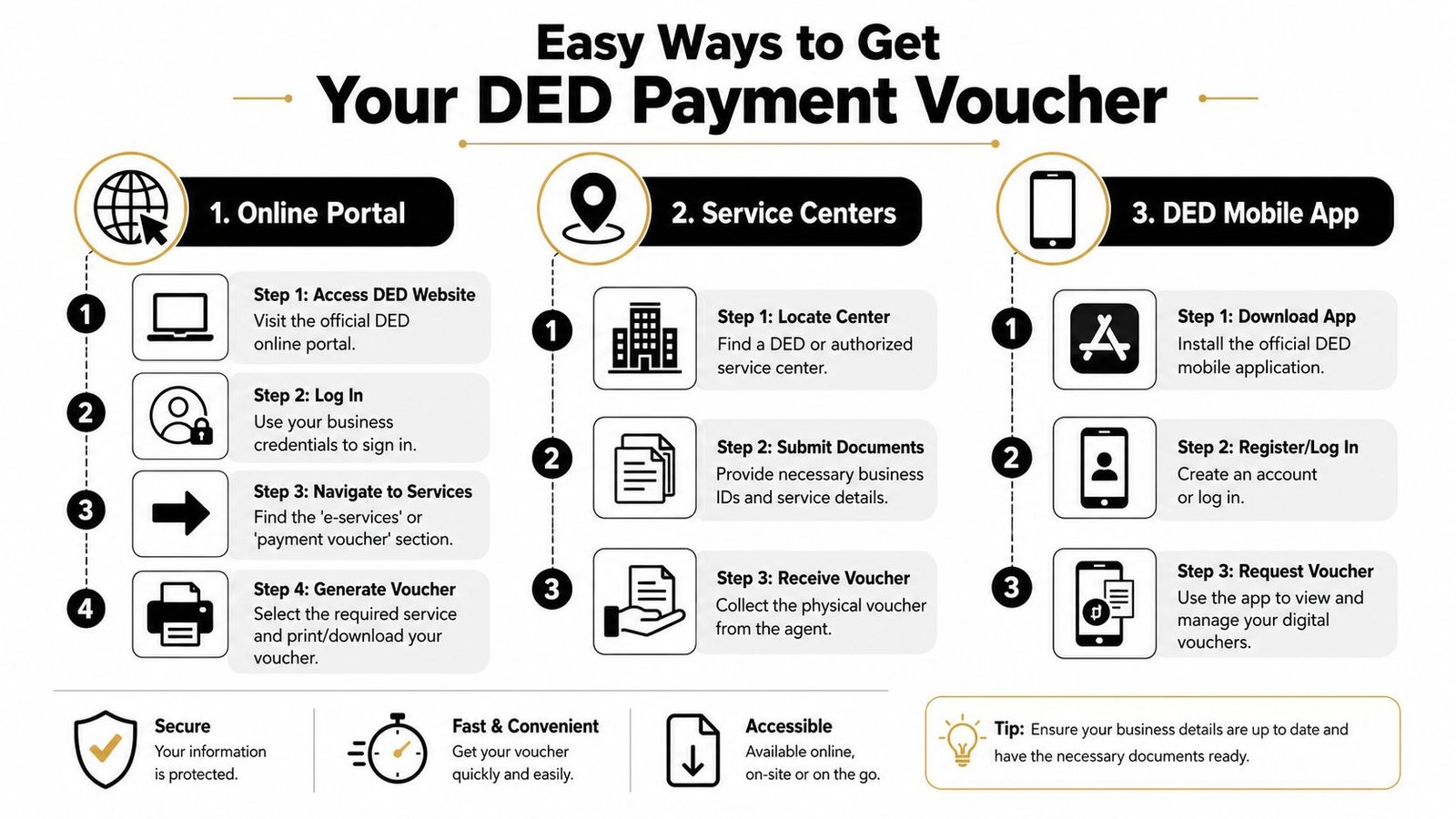
The fastest route is often SMS. You send the trade licence number to 6969, and the system returns a voucher link by phone, as described in AEDBS’s guide to understanding DED payment vouchers.
PROs use this method when a file has already cleared review and payment needs to happen without delay. It cuts out portal logins and front-desk queues. The weak point is link handling. If the message is overlooked or the PDF is not downloaded promptly, you may need to request it again.
How does the online route work
The online route suits founders who already manage their licence work through the portal and want a proper digital record tied to the company file. The voucher appears only after the underlying service application has passed its review stage. If the application is still pending, there is nothing to retrieve yet, which is why many founders think the system has failed when the file has not moved forward.
A clean online workflow looks like this:
- Submit the required documents for the mainland service.
- Wait for the application to clear review and move to payment.
- Log into the relevant e-services account and locate the issued voucher.
- Download the PDF and save it properly so the finance team pays from the original document, not a cropped screenshot.
This method keeps the record trail clean. It also makes it easier to catch practical details before payment, such as the correct service line, any penalty showing on the file, or whether a discount has been applied before the voucher expires.
When should you use a service centre
A service centre is the safer choice when the file has complications or the founder wants someone to check the status in person. Staff at Amer or Tasheel centres can often help retrieve or print the voucher once they confirm the trade licence details and transaction stage.
I recommend this route when there is any doubt about the file. Common examples include a name mismatch, uncertainty about whether the application was approved, or a founder who has multiple transactions open and does not want to pay the wrong one. The extra stop can save time if it prevents a bad payment or a voucher that has to be issued again.
How to Pay the DED Voucher Online and Offline
A founder gets the voucher at 4:30 PM, opens the payment page, and clears the amount before checking the business name on the file. The money goes through, but it is tied to the wrong transaction. That is the kind of small error that turns a simple payment into a compliance delay.
How does online payment work
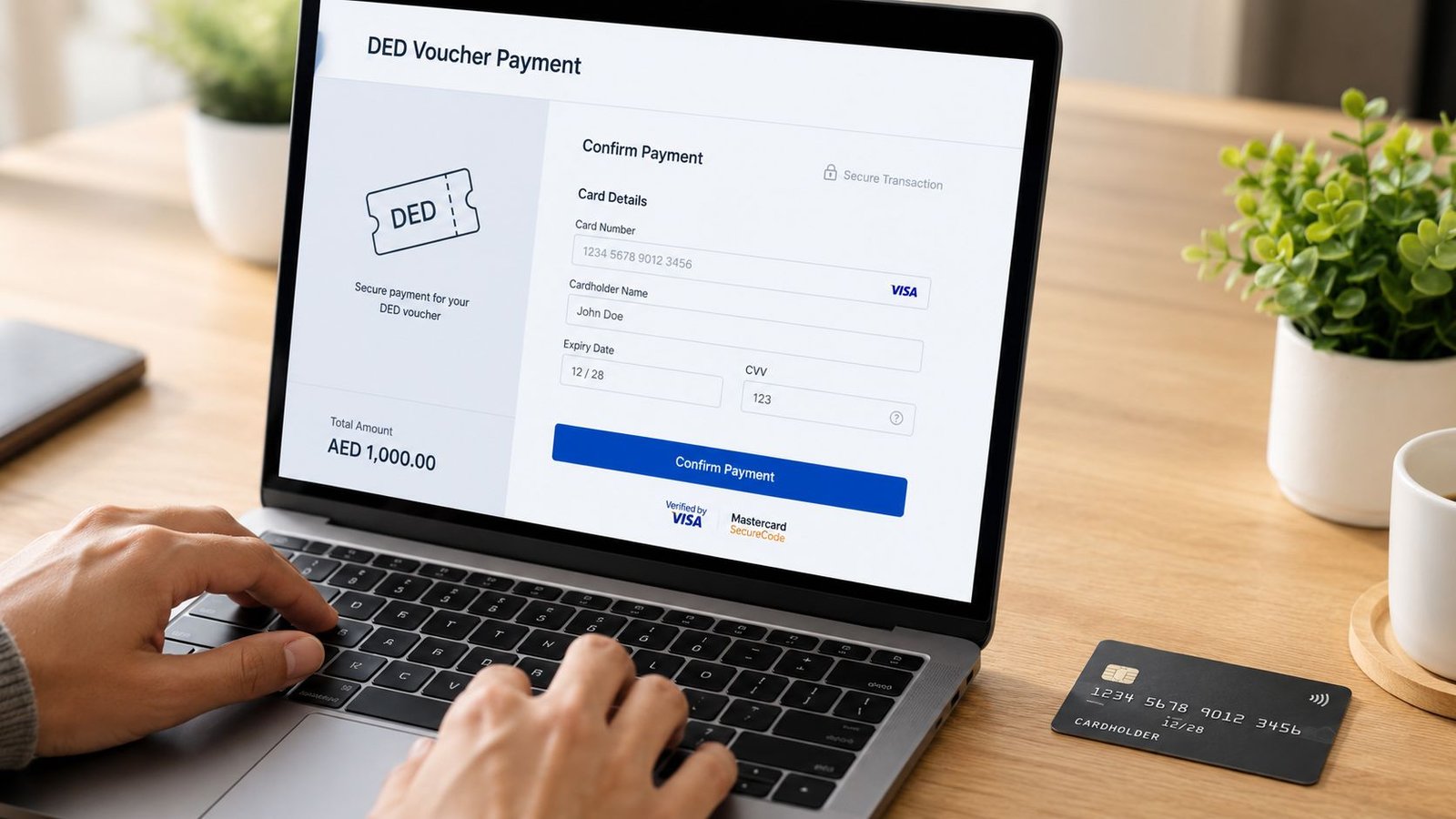
Online payment is the standard route for straightforward files. Log into the DED e-services portal or the DubaiNow app, enter the voucher number or PRN from the original PDF, confirm the amount, and complete payment with an active card.
The sequence is simple. The risk sits in the checks around it. Before approving the charge, confirm that the business name, service type, and amount on screen match the voucher exactly. If any line looks off, stop there and verify the file. Paying first and asking questions later wastes time.
The card step triggers 3D Secure. 3D Secure is the bank authentication check that sends an OTP or approval request through the banking app before the charge is accepted. If the registered mobile number is outdated, or the finance card has bank-side restrictions, the payment can fail even with enough balance.
Use this checklist before you submit:
- Open the original PDF and copy the reference directly
- Match the amount and business details exactly
- Use a card with active 3D Secure linked to the correct mobile number
- Save the receipt immediately after approval
I also advise founders to keep one person responsible for the final click. Shared screens, multiple open tabs, and last-minute finance approvals create avoidable errors.
If the payment page and the PDF do not match word for word on the business name and service type, pause and recheck the transaction before authorising payment.
Here is the point in the process where a short visual walkthrough can help:
What are the offline payment options
Offline payment still makes sense in specific cases. It is useful when the payer is not the applicant, when card controls are difficult, or when the file needs an in-person check before money moves.
Approved service centres can help process the payment or confirm the voucher details before collection. That extra human check is often worth it for renewals with penalties, name issues, or multiple open transactions under the same group. The trade-off is time. You may spend longer completing the payment, but you reduce the chance of paying the wrong file.
A practical comparison looks like this:
| Payment route | Best for | Main watchpoint |
|---|---|---|
| Online portal | Fast self-service | Reference entry must be exact |
| DubaiNow app | Mobile payment convenience | Card authentication must work smoothly |
| Service centre | In-person support | You still need to retain proof of payment |
For clean files, online payment is faster. For messy files, offline support can be the safer choice. This workflow difference is what professionals watch closely. The payment is only one step. Getting it posted to the correct government file without delay is what matters.
Common Payment Voucher Mistakes to Avoid
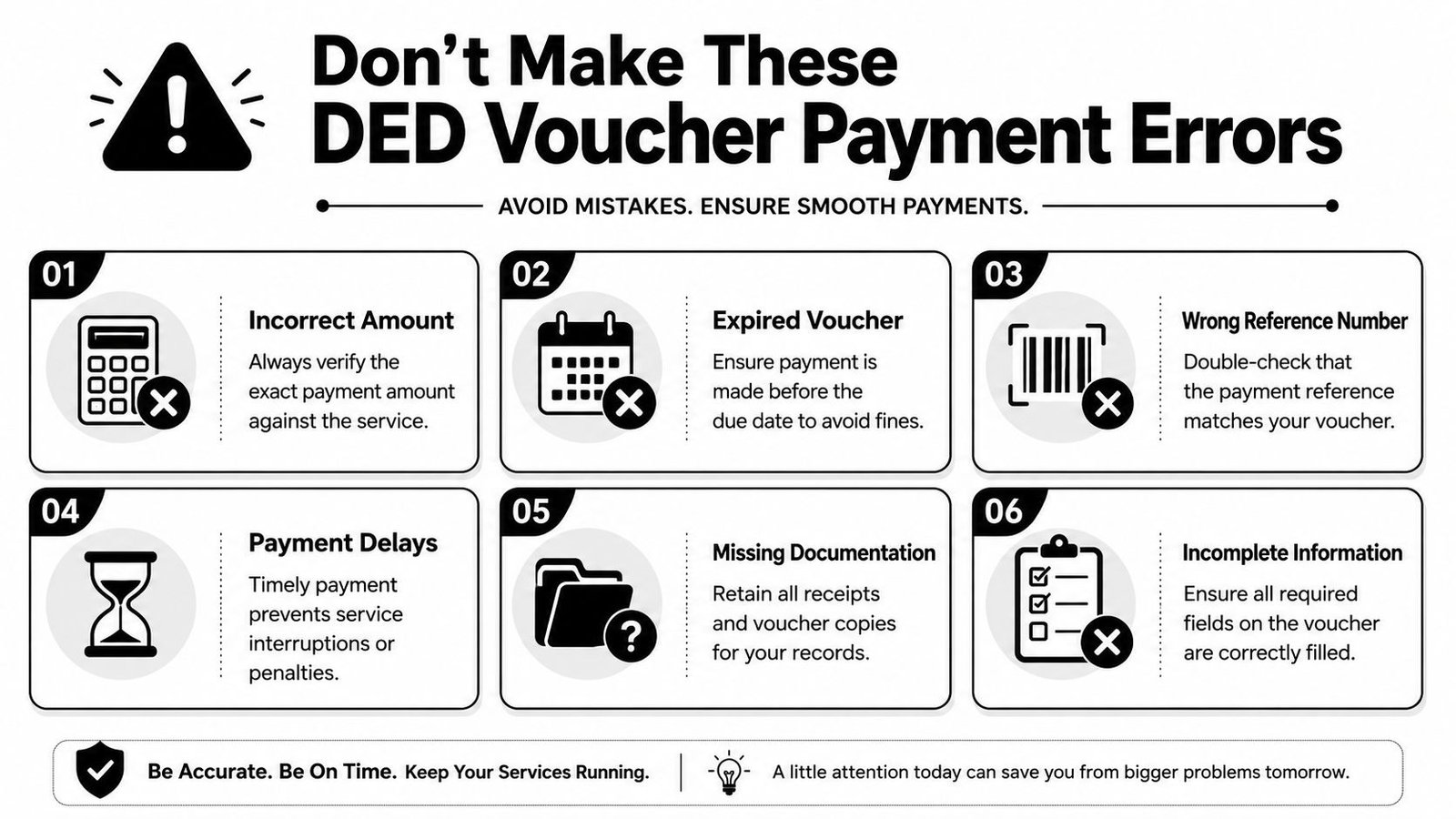
A founder gets the voucher, sees that the file has already passed the earlier steps, and assumes payment can wait until the end of the week. Then the voucher expires, the reference is entered incorrectly, or a discount option is missed at the point of issue. The payment itself is simple. The compliance risk sits in the small details around it.
What happens when the voucher expires
A DED payment voucher does not stay open indefinitely. If it expires before payment is completed, the file usually needs a fresh voucher and, in some cases, a quick check to confirm nothing else on the transaction has changed since issue.
That is where founders lose time. The business file can feel close to finished, but the government side still treats it as incomplete until the payment posts correctly within the valid period.
The safest workflow is straightforward. Save the voucher PDF as soon as it is issued, note the expiry date, and assign one person to own payment and proof retention.
Why do online payments fail even when the card is valid
Valid cards still fail for ordinary operational reasons. In practice, the usual causes are simple. The wrong reference number is typed, the payer works from a screenshot instead of the original PDF, the browser session times out, or the bank blocks the transaction because the card is set up for controlled corporate spending.
I have seen this cause avoidable stress near renewal deadlines. Finance teams often assume a government payment will behave like any other online purchase. It does not always. Some banks apply extra checks, and some failed attempts leave the payer unsure whether the amount was captured or the file remained unpaid.
Use a controlled method:
- Open the original voucher PDF before you enter anything
- Use one browser tab and one device for the transaction
- Avoid refreshing the page once payment starts
- Check with the bank in advance if the card has merchant or approval restrictions
- Keep the final receipt and payment confirmation together with the voucher copy
A failed transaction is not just an IT irritation. It can leave the file sitting in limbo while the deadline keeps running.
What do founders miss about discounted vouchers
Discounts are one of the least understood parts of this process. Founders often hear that certain vouchers may qualify for a reduced amount, then rush to payment without confirming whether the discount was applied at the generation stage.
The problem is timing. If the voucher is issued without the correct discount treatment, fixing it after payment is far harder than checking it before settlement. That is why experienced PRO teams review the issued amount first, not after the receipt is already on file.
Public guidance on eligibility is not always perfectly clear, especially for first-time mainland setups, smaller businesses, or cases involving bank-side payment conditions. One useful overview on the wider issue of UAE government payment handling and process coordination appears in Prime Advices on streamlining UAE DED and VAT payments.
A practical review before payment usually includes:
- checking whether the voucher shows a discounted amount or standard amount
- confirming any code, option, or approval step before payment is submitted
- matching the payer method to any bank controls already in place
- saving screenshots if the file may need manual follow-up later
This is the trade-off founders should understand. Paying fast feels efficient, but paying the wrong amount, paying against an expired voucher, or paying before a discount issue is checked usually creates more delay than the extra five minutes of verification.
Let Inpro Manage Your UAE Business Compliance
A DED payment voucher looks like one task, but it sits inside a longer compliance chain. The file has to be prepared correctly, submitted through the right channel, monitored for voucher release, paid without technical error, and followed through until the licence or related output is issued.
Why is this more than a one-time payment task
For founders in the UAE, this isn’t usually the only moving part. A mainland company may also be dealing with immigration steps, labour matters, establishment cards, tax registration, banking timelines, or employee onboarding. HR teams and overseas shareholders often feel the pressure most when renewal dates, visa steps, and finance approvals all land at once.
That’s why experienced operators don’t treat the voucher as a stand-alone admin job. They treat it as part of the company’s compliance calendar.
When does expert handling make sense
Professional handling makes sense when the file has deadlines, multiple signatories, discount uncertainty, or any mismatch between the person managing the company and the person making payment. It also helps when a founder is abroad and doesn’t want to learn a government workflow under pressure.
Good support usually means someone handles the sequence properly. Documents go in cleanly. The voucher is retrieved through the right method. Payment is made using the correct reference. Proof is stored. The matter closes without a last-minute scramble.
That approach is just as useful for a first-time founder in Dubai as it is for a growing company with staff across the United Arab Emirates.
Not sure where to start? Book a free strategy call with Inpro Corporate Services L.L.C. and get help with UAE company formation, licence renewals, PRO support, visas, and the payment steps that often slow a file down.
Renewing your trade license?
Inpro handles DED payments, renewals and all the paperwork, so you don’t have to. 850+ founders supported.
Talk to our PRO team →