

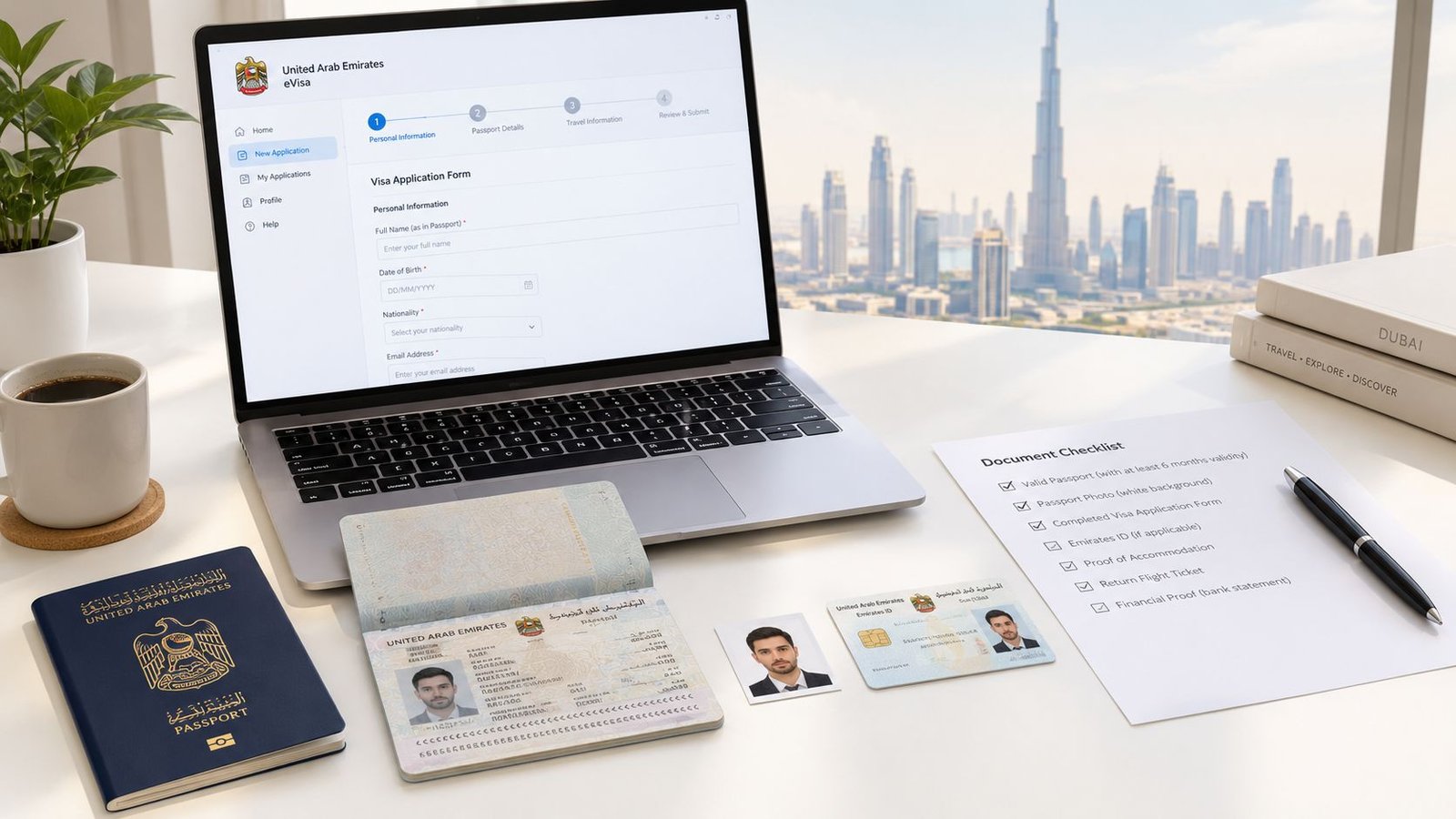
You're probably looking at a UAE visa application form with a flight date, a sponsor waiting for documents, and no clear idea where the completed file will go. The safest approach is to treat the form as a structured government submission, not a PDF to print, sign and email: choose the correct channel, copy every passport detail exactly, and upload clean documents before submitting.
Table of Contents
- What the UAE Visa Application Form Is and Where It Goes
- How to Fill Out the Form Fields Correctly
- Documents You Need to Attach to the Form
- Common Errors That Get UAE Visa Forms Rejected
- Where to Submit the Form and Which Channel to Choose
- What Happens After You Submit the Application
- A Simple Recap and Your Next Step
What the UAE Visa Application Form Is and Where It Goes
What is the UAE visa application form?
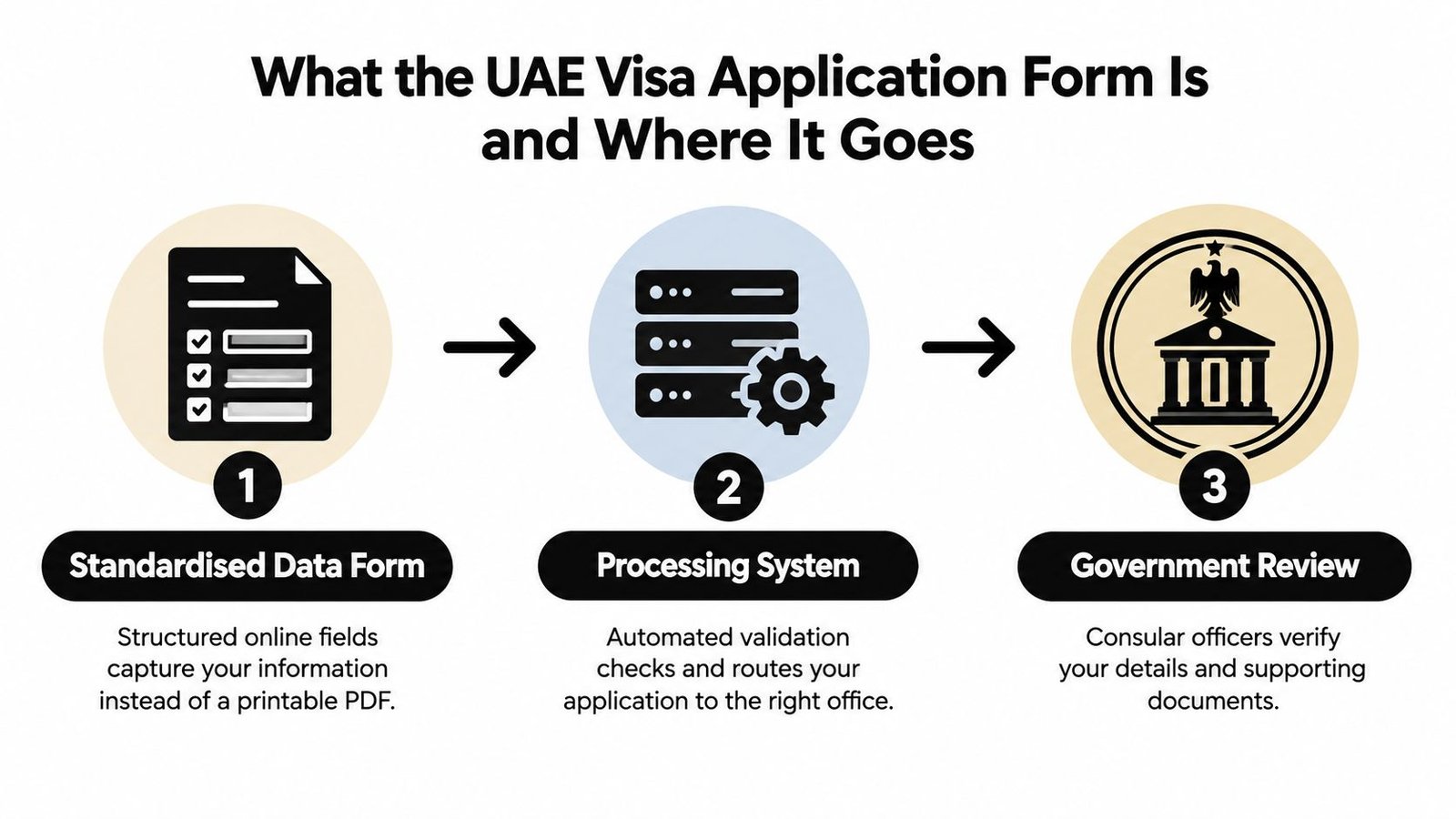
The UAE visa application form is a standardised data submission that sends your applicant, passport, sponsor and document details into a government processing system. It is not just a printable document that you sign once. The completed information is checked against the visa category and the authority responsible for issuing the entry permit or residence visa.
Most applicants use one of three routes:
- ICP Smart Services, operated by the Federal Authority for Identity, Citizenship, Customs and Ports Security, handles federal visa services and applications connected to several emirates.
- GDRFA Dubai, the General Directorate of Residency and Foreigners Affairs in Dubai, handles Dubai-issued entry permits and residence visa services.
- Registered typing centres prepare and transmit applications to the relevant emirate authority when the category or sponsor requires assisted processing.
The official UAE guidance on tourist visas and electronic applications confirms that entry permits and tourist visas can be submitted through government websites, mobile applications and registered typing centres. That digital structure is the key point. Your form feeds an online government workflow, where the issuing authority, sponsor information, document requirements, fees and review process depend on the application type.
Which UAE government channel should receive the form?
A visitor applying through a federal route may use ICP. A person whose residence file is tied to Dubai will generally deal with GDRFA Dubai. A company-sponsored application may be prepared through a registered typing centre, which transmits the typed application to the appropriate authority.
Founders applying for an investor, Green Visa or Golden Visa should confirm the emirate, sponsor structure and eligibility route before entering any data. These applications often connect with residence and Emirates ID procedures, so selecting the wrong channel can create more work than correcting a spelling mistake.
How to Fill Out the Form Fields Correctly
What should you enter in the personal details section?
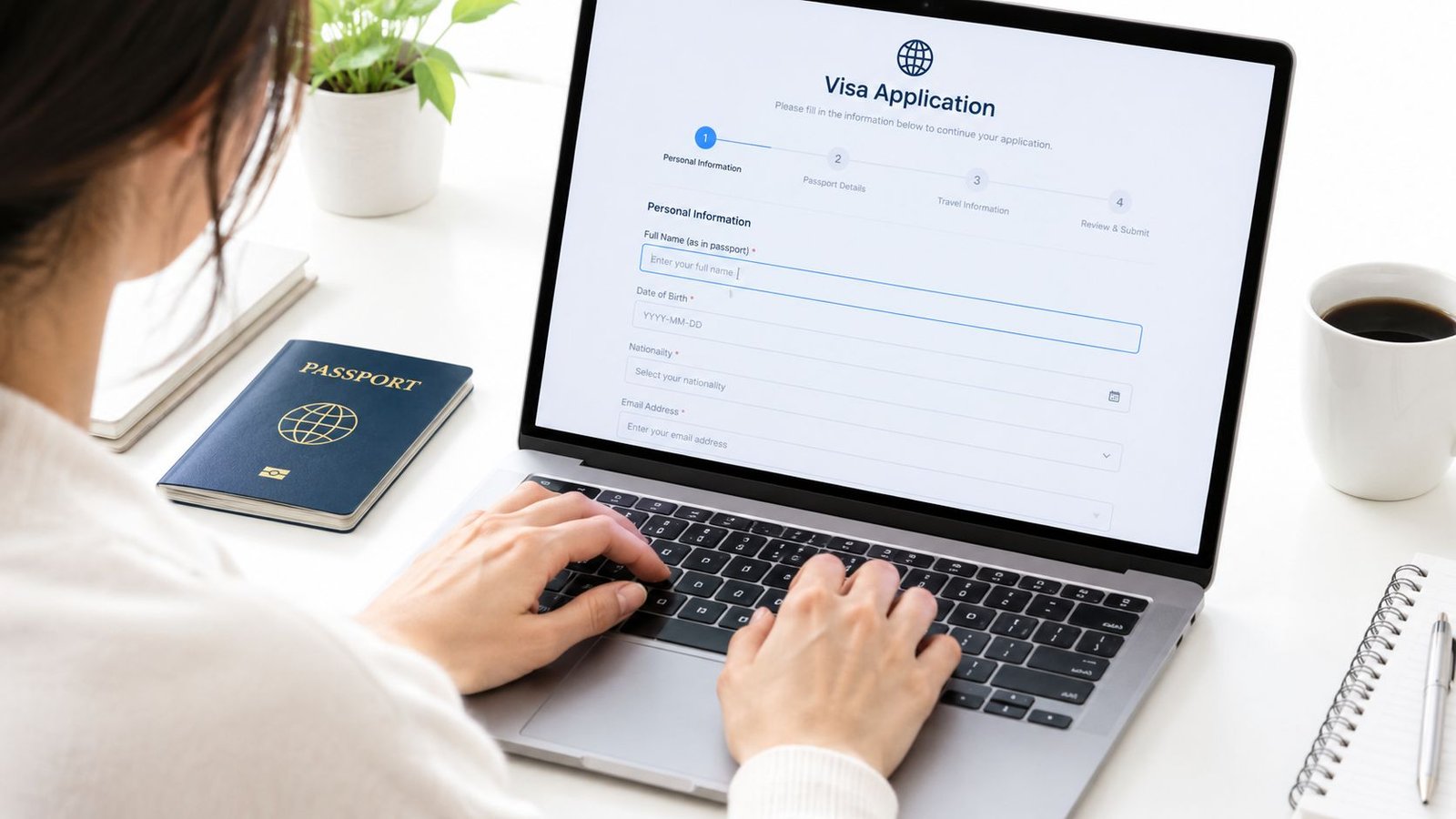
A founder under deadline pressure should complete the applicant fields from the passport, not from memory or an old company file. Enter the full legal name exactly as it appears on the passport, nationality, date of birth, marital status, gender and current country of residence.
Keep the same spelling and name order across the application, passport scan and sponsor documents. Do not shorten a middle name, change the order of names or use the spelling from an email signature. The machine-readable zone at the bottom of the passport is the final reference. A mismatch can send the application back for correction, even when the difference is only one letter.
How should you complete the passport section?
Copy the passport number, issue date, expiry date and issuing country character by character. Check every letter and number carefully. Characters such as “O” and “0” or “I” and “1” are easy to confuse, and one wrong character can stop the authority from validating the document.
Check the expiry date before completing the rest of the form. The Emirates visa and passport information guidance states that travellers commonly need at least six months of passport validity. Check this against the intended entry period. Do not rely on the portal to catch a passport that is too close to expiry.
What belongs in the sponsor section?
Enter the sponsor that owns the application route, not the person helping you prepare it. For an employment entry permit, this is normally the employing company. Its authorised representative or PRO, meaning Public Relations Officer, may submit the government application. For a visit visa, the sponsor may be a host, hotel, airline or approved travel service.
Golden Visa applicants must select the qualifying category and provide evidence for it. The sponsor field still matters because it affects how the authority interprets the application and which workflow receives it.
Practical rule: Re-select the sponsor before submission. A portal may retain a previous value, and an incorrect sponsor can route an otherwise accurate form into the wrong process.
What should you upload in the attachments block?
Upload the recent passport photograph, colour passport scan and documents requested for the selected category. The UAE Ministry of Foreign Affairs visa guidance states that the original visa form must be typed, handwritten forms are not accepted, and the file should be submitted at least 14 days before departure.
Set the portal language before entering data. If you choose Arabic or English, keep names and entries consistent throughout the form. Do not mix Arabic and English in a field designed for one language. Blurry scans, cropped passport pages and unreadable uploads create avoidable processing delays.
Documents You Need to Attach to the Form
What documents belong in the basic upload set?
Prepare the file before opening the UAE visa application form. The exact requirements depend on the visa type, nationality and sponsor, but the basic upload set usually contains the applicant's passport bio-page and a recent passport photograph.
Scan the passport in colour. Show the complete bio-page with every corner visible, including the machine-readable zone. Cropping, reflections or a blurred passport number can stop the authority from validating the document.
Use a recent photograph with a white background and the requested dimensions. Some UAE-linked visa instructions specify a clear colour photo measuring 4.3 cm by 5.5 cm, as stated in the UAE visa requirements guidance. Use a neutral expression and remove glasses unless an exception applies. Avoid heavy compression that removes facial detail.
Which supporting documents does each applicant need?
The sponsor's evidence must support the route selected on the form. An employee may need company and employment records. A visitor may need details from the host, hotel, airline or approved travel provider. A Golden Visa applicant must provide documents supporting the chosen qualifying category.
| Document | Visit Visa | Employment / Residence | Golden Visa |
|---|---|---|---|
| Passport bio-page | Colour, complete and legible copy | Colour, complete and legible copy | Colour, complete and legible copy |
| Recent passport photograph | White background, compliant dimensions | White background, compliant dimensions | White background, compliant dimensions |
| Sponsor information | Host, hotel, airline or approved sponsor details | Employer or establishment sponsor details | Applicant and qualifying-category details |
| Entry stamp or prior visa copy | Include when requested by the route | Include when requested by the authority | Include when requested by the authority |
| Sponsor or category evidence | Invitation or booking-related evidence where requested | Trade licence, labour or employment documents, NOC or tenancy evidence where applicable | Investment, professional, academic or other category evidence where applicable |
A trade licence confirms that a UAE business is authorised to operate. A No Objection Certificate, or NOC, is written confirmation from a relevant party supporting the proposed action. Match every attachment to the sponsor and category selected in the form. Extra documents do not compensate for missing or inconsistent evidence.
How should families organise their files?
Each family member needs separate identity documents and a photograph. Keep related files under the same application reference when the portal requires a combined submission. Do not scatter documents across unrelated uploads or attach one family member's passport to another person's record.
Before payment, open every file and check it at normal viewing size. Confirm that names, passport numbers and dates remain readable, then check that each file is attached to the correct applicant.
The official UAE entry-permit application guidance confirms that applicants may use ICP electronic channels, the UAEICP application, GDRFA Dubai services or registered typing centres, depending on the route. Choose the channel that handles the selected visa process, then upload the documents in the format it requests.
Common Errors That Get UAE Visa Forms Rejected
Why do passport mismatches cause problems?
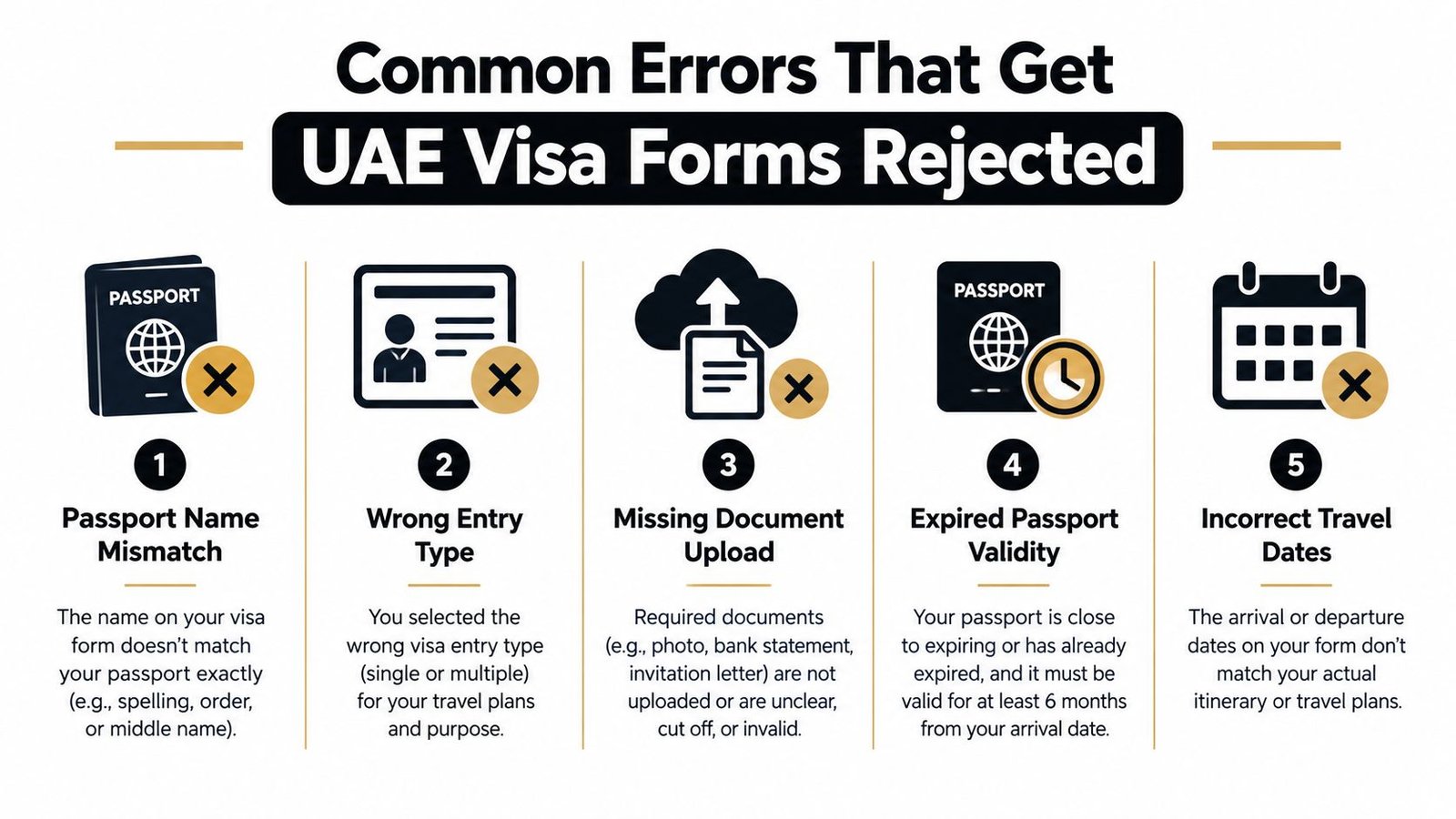
The most avoidable failure is a mismatch between the passport and the form. Check the passport number, name sequence, date of birth, nationality and expiry date against the document itself, not against an old visa, an email signature or a company spreadsheet.
Name differences deserve particular attention. A passport may show a transliterated name that differs from the spelling used on a UAE trade licence or employment document. Don't “correct” the passport spelling to make it look more familiar. Copy the passport, then ask the sponsor or PRO to resolve any document-level difference before submission.
What sponsor mistakes should you catch?
The sponsor field controls the administrative route. Leaving it blank, selecting an old sponsor record or choosing an individual where the application requires a company can send a valid file to the wrong review path.
This mistake appears often when a founder has more than one UAE entity, or when an HR team reuses an employee template. Check the legal company name, establishment information and sponsor category before you upload documents. The sponsor details must agree with the trade licence or employment records included in the file.
Which document and category errors lead to returns?
Handwritten forms and outdated templates are unsafe. The government requirement is clear for the relevant embassy route: the form must be typed, while electronic applications should be completed in the current official portal.
Use this final rejection check:
- Name and number mismatch: Compare every passport field with the bio-page and machine-readable zone.
- Wrong visa category: Confirm whether the application is for a tourist, visit, employment, residence or Golden Visa route.
- Missing sponsor evidence: Make sure the selected sponsor and attached company or host documents agree.
- Unreadable upload: Replace blurry, cropped or shadowed scans instead of hoping an officer can read them.
- Insufficient passport validity: Confirm the passport meets the recurring six-month requirement before submission.
- Damaged passport: Replace a passport with damaged laminate or an unreadable bio-page before applying.
Where to Submit the Form and Which Channel to Choose
Which channel fits your application?
A founder submits a Dubai company's visa form through a federal portal, then discovers the file belongs with Dubai's immigration authority. That routing error wastes time and can leave the sponsor unable to manage the application. Choose the channel from the sponsor and issuing emirate, not from the first website shown in search results.
The UAE government's application and tracking guidance identifies ICP electronic channels, the UAEICP app, GDRFA Dubai services and registered typing centres as submission routes.
| Channel | Typical Processing Time | Best For |
|---|---|---|
| ICP Smart Services | Depends on category and review | Federal applications and routes connected to emirates outside Dubai |
| GDRFA Dubai | Depends on category and review | Dubai entry permits, Dubai residence files and Dubai-linked applications |
| UAEICP or related mobile applications | Depends on service | Eligible renewals, applications and status checks through the relevant authority |
| Registered typing centre | Depends on category and document readiness | Applicants who need typed forms, document scanning or assisted government submission |
Each channel serves a defined purpose. A mobile application may suit an eligible renewal or status check, while a typing centre can prepare the form and submit documents through the appropriate government route. Neither option changes the sponsor's legal responsibility or the authority handling the file.
What should founders do?
Start by identifying the sponsor: a new company, an existing company sponsor or an individual qualifying under a specific category. New establishment-linked applications often require company records and sponsor information that a registered typing centre or PRO service can prepare for submission.
A Dubai company should confirm the GDRFA Dubai route before creating the application. A federal or northern-emirate file should be checked against ICP requirements. Do not use a personal account just because it displays the form. If the company is the legal sponsor, the application should remain connected to the company's authorised representative.
What should employees and Golden Visa applicants do?
Employees should complete the form with the employer's PRO or authorised representative. The employer handles sponsor and employment documentation, while the employee verifies personal details and passport information before the file is submitted.
Golden Visa applicants should confirm the qualifying category before paying any fee. Self-sponsored status does not remove the need for evidence that supports the selected route. Inpro provides visa processing and can prepare forms and submit applications to the relevant government authority as part of its PRO services for UAE businesses.
What Happens After You Submit the Application
How do you track the file?
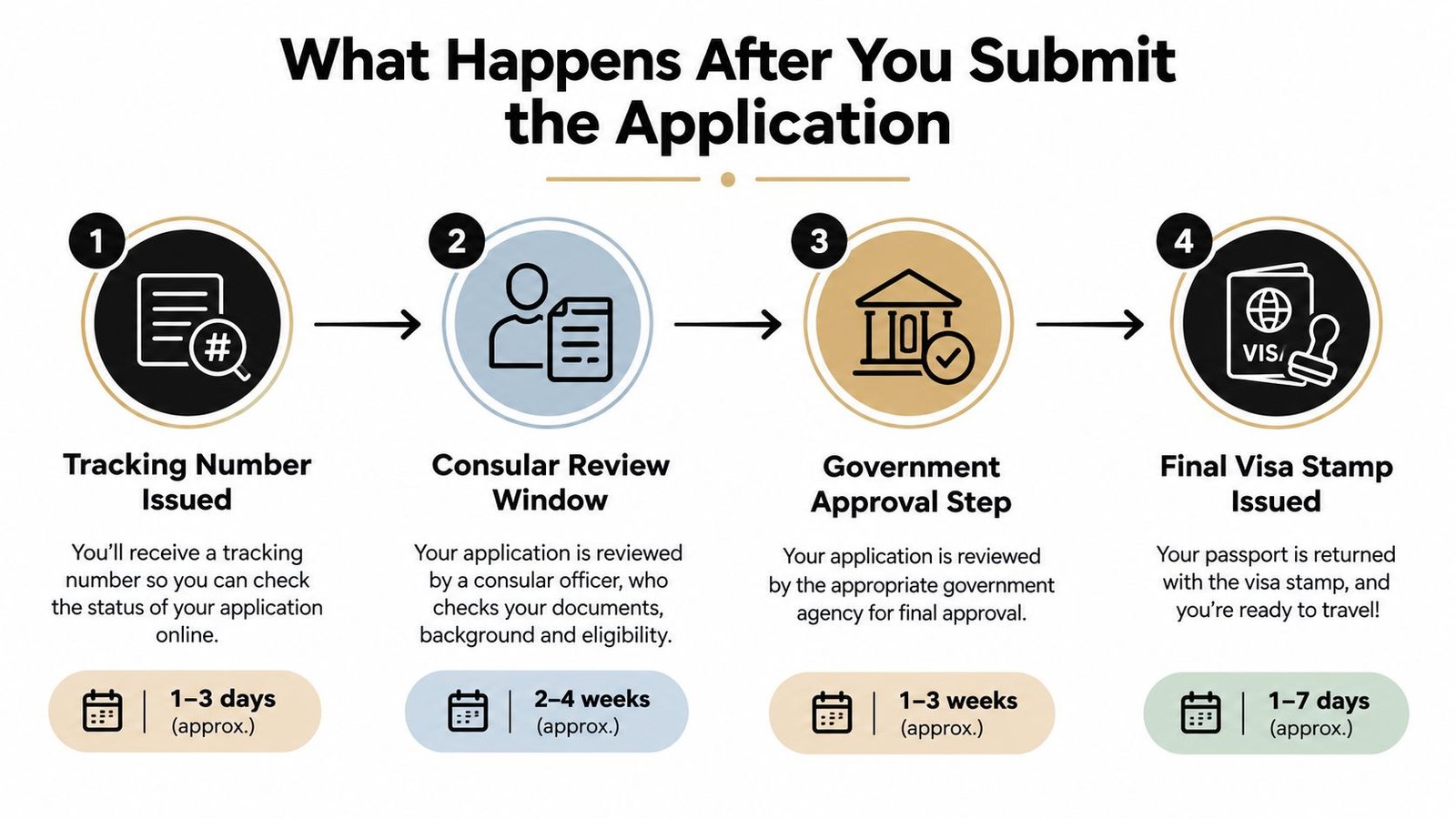
A founder may have a flight date, an employee waiting to join, or a residence file tied to a company launch. After submission, the priority is to track the government record through the same authority that received it. Use the application number issued by ICP or GDRFA, not a separate form or an unrelated account.
The status needs a precise reading. “Under Review” means the authority is still assessing the file. “Approved” confirms that stage has been accepted. “Returned for Correction” identifies an issue that needs action, such as a data mismatch, sponsor detail or unreadable attachment. Correct the original record where the system permits it. Opening a second application can split the file history and create more confusion.
Keep the application number, payment confirmation and uploaded documents in one folder. If the authority requests a replacement scan or sponsor document, submit the corrected item through the original government channel and retain proof of the update.
Official service guidance from the UAE Ministry of Foreign Affairs service guidance also helps applicants understand the relevant authority's process. Use the issuing channel's status tool or its authorised service centre for the current file position.
What happens after approval for residence visas?
Approval of an entry permit does not complete a residence case. Applicants aged 18 and above must complete the medical test and pass the security check before the residence process is finished. They must also apply for an Emirates ID through the Federal Authority for Identity, Citizenship, Customs and Ports Security, as set out in the UAE government's residence visa provisions.
Dubai residence permits also require health insurance. From 1 January 2025, employers in Dubai must purchase the required policy before issuing or renewing residency permits, according to the same official guidance. The sponsor should arrange this promptly, because an approved entry permit does not confirm that the insurance requirement has been met.
Medical appointments, security checks, insurance and the Emirates ID application are separate tasks. Assign each one to the sponsor, employee or applicant, then keep every receipt and reference number with the visa record.
For a visual explanation of the process, review the following walkthrough before scheduling appointments:
A Simple Recap and Your Next Step
What is the safest way to complete the form?
Reduce the UAE visa application form to five decisions:
- Confirm the visa type and issuing channel. Decide whether the file belongs with ICP, GDRFA Dubai or a registered typing centre.
- Prepare the passport and sponsor documents. Check the passport validity, company records, host information or Golden Visa evidence before entering the form.
- Complete the personal and passport fields exactly. Use the passport spelling, number and dates without improvising.
- Upload clear colour files. Use the requested photograph format and make sure the passport bio-page is complete and readable.
- Review the fee and submit early. Keep the confirmation, application number and document set in one organised folder.
The stressful applications are usually the ones started just before a flight, a new employee's joining date or a company launch. Block a quiet hour, keep the passport and sponsor records open beside you, and make one careful pass instead of submitting quickly and chasing corrections later.
A founder with a straightforward entry permit may be able to complete the process directly. Investor, Golden Visa and multi-document cases deserve a second review because the category, sponsor structure and evidence must all agree. A PRO specialist can check the draft before payment and identify a mismatch while it is still easy to fix.
If you want help with the UAE visa application form, Inpro can prepare the file, coordinate the required documents and submit it through the relevant government channel. Contact the team before you pay or book travel so your sponsor details, attachments and residence workflow are checked together.