

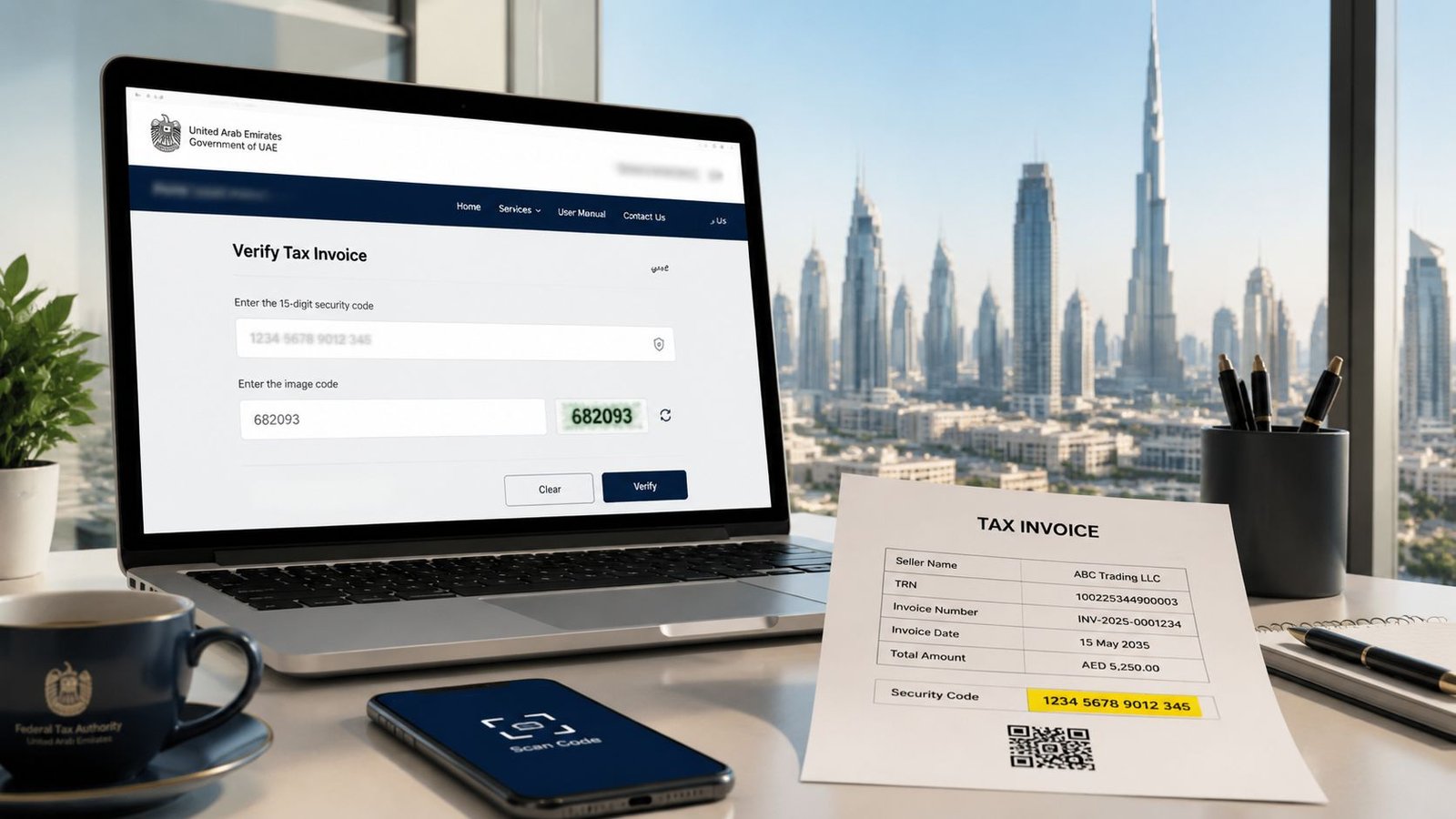
You can verify a UAE Federal Tax Authority TRN instantly and for free by entering the 15-digit number on the official portal, then completing the security check. If you pay supplier invoices in the UAE, that small step is one of the simplest ways to avoid VAT problems before they land in your accounts.
A lot of founders first notice TRN verification when the first supplier invoice arrives from Dubai, Abu Dhabi, Sharjah, or a free zone business and it includes VAT plus a number labelled TRN. The instinct is usually to check whether the invoice looks professional, whether the bank details match, and whether the work was delivered. All sensible. But in the United Arab Emirates, you also need to confirm that the seller is VAT-registered under the legal entity shown on the invoice.
That's why FTA TRN verification matters. The lookup itself is easy. What usually causes trouble is the workflow around it. Teams often check once, save nothing, and assume they're covered forever. In practice, the safer approach is to build TRN verification into onboarding, invoice review, and supplier change management so the check becomes routine rather than reactive.
Table of Contents
- Introduction Your First UAE Supplier Invoice
- Understanding the TRN and Its Importance
- How to Manually Verify a Single TRN on the Portal
- Scaling Your Verification Process for Multiple Suppliers
- Common TRN Verification Errors and How to Fix Them
- Building a Compliant Workflow with Inpro
Introduction Your First UAE Supplier Invoice
Your first UAE supplier invoice often looks straightforward until you pause at the VAT line and the TRN. That pause is healthy. In the United Arab Emirates, compliance problems often start with ordinary documents that nobody questioned at the time.
What catches new business owners off guard is that TRN verification is not just an accounts task. It sits between procurement, finance, tax, and operations. If your team accepts the invoice, posts it, and claims input VAT later, you want to know that the tax details were valid when you relied on them.
Practical rule: Check the TRN before you treat the invoice as a normal payable item. It's faster to stop a document at review stage than to unwind it later.
Founders also worry about something else that rarely gets said plainly. They don't want to offend a new supplier by asking questions. In the UAE, asking for confirmation of legal entity details and checking the TRN on the Federal Tax Authority portal is standard business hygiene. Serious suppliers expect it.
That's the shift worth making early. Don't think of FTA TRN verification as a one-off search box on a website. Think of it as a control point. If you set that control point up properly from the start, the rest of your VAT process becomes calmer.
Understanding the TRN and Its Importance
A Tax Registration Number, or TRN, is the tax identifier issued by the Federal Tax Authority, the government body that administers federal taxes in the UAE. In the UAE, the TRN is also the same code used as the VAT number, so when someone asks for a supplier's VAT number, they are usually asking for the same identifier.
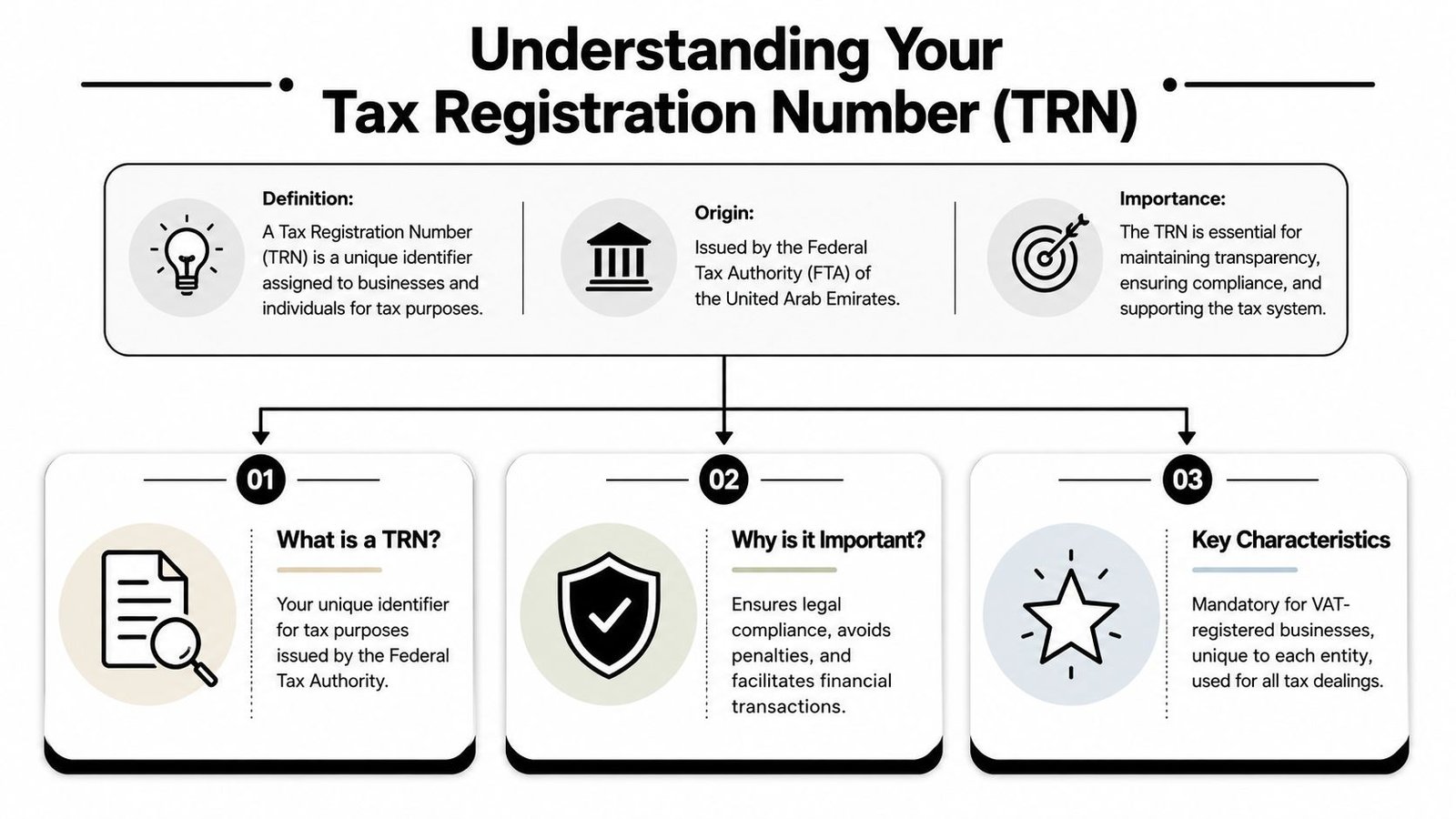
What is a TRN
The UAE's TRN is a 15-digit identifier issued by the Federal Tax Authority, and businesses that do not meet the mandatory VAT registration threshold of AED 375,000 in taxable supplies generally are not assigned one, as explained in Tadqiq's guide to what a TRN number is. That single fact clears up a common confusion. Not every supplier without a TRN is doing something wrong. Some may not be required to register.
For a buyer, the useful question is not “does every company have a TRN?” The useful question is “is this counterparty VAT-registered and entitled to issue a VAT invoice under the legal entity shown to me?”
Who gets a TRN in the UAE
A VAT-registered business gets a TRN. A business below the mandatory registration threshold generally does not. That matters when you deal with a mix of mainland businesses, free zone entities, small consultancies, and freelancers across Dubai and the rest of the UAE.
If a supplier tells you it is charging VAT, the presence and validity of the TRN becomes part of the commercial reality of that invoice. If a supplier says it is not VAT-registered, the conversation changes. You then review the invoice on that basis rather than assuming a tax number should be present.
Why does verifying it protect your business
TRN verification is a frontline control because it helps confirm that the seller is VAT-registered and that the invoice is tied to the correct legal entity. It also helps your team spot a mismatch early, before payment, posting, or a later VAT filing turns a small omission into a messy explanation.
What works in practice is simple:
- Check the number itself: Make sure the supplier has given a complete 15-digit TRN.
- Check the legal identity: Compare the registered name returned by the portal to the legal name on the invoice and supplier record.
- Check the timing: Run the check before you rely on the invoice, not after month-end when the finance team is under pressure.
A lot of businesses focus only on whether a TRN exists. That's not enough. The better question is whether the TRN, the legal name, and the invoice all line up cleanly.
A valid-looking invoice can still be the wrong invoice if the tax identity doesn't match the entity you are paying.
How to Manually Verify a Single TRN on the Portal
For a single supplier invoice, the manual check is usually the fastest path. You don't need a special account, and you don't need to wait for anyone in finance to set up a system before you can do the basic control.
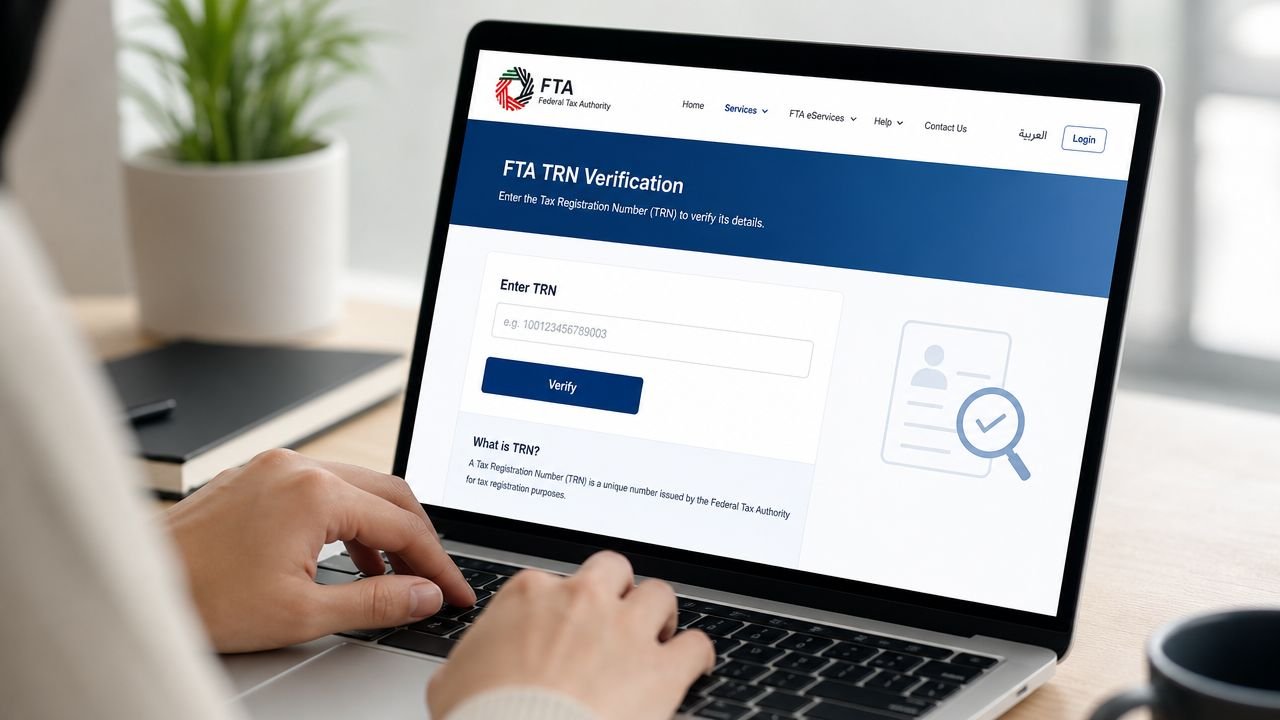
What does the official check look like
The public FTA flow is a 3-step process: open the official verification page, enter the 15-digit TRN without spaces or dashes, then complete the captcha and submit. The portal returns the registrant's legal name and registration status, and no login is required for a basic check, as described in BCL's outline of the UAE TRN verification flow.
That means the manual task itself is not complicated. The usual mistake is not the portal. It's the data people feed into it. Someone copies the number with spaces, pastes the wrong entity's TRN from an old email, or checks a trading name and assumes it should appear exactly the same on the result.
A clean manual process usually looks like this:
- Pull the TRN from the invoice or supplier onboarding file.
- Re-enter it carefully as a 15-digit number with no formatting.
- Compare the returned legal name to the invoice issuer, not just the brand name on the letterhead.
How should you read the result
A successful result should give you more than comfort. It should give you a decision. If the portal shows a valid status and the legal name matches the contracting or invoicing entity, the invoice can move forward in your review process.
If the legal name is unfamiliar, stop there and ask why. In the UAE, many businesses trade under names that differ from their registered legal entity. That can be normal. But “normal” doesn't mean “ignore it”. Your records should show who you are paying and why that entity is the one appearing on the tax verification result.
Here's a useful comparison:
| What you see | What it usually means | Best next move |
|---|---|---|
| TRN valid and legal name matches invoice | Low friction result | Save evidence and continue review |
| TRN valid but name differs from invoice branding | Possible trading name issue | Ask for legal entity confirmation |
| TRN invalid or no result | Data or registration problem | Hold VAT treatment and request correction |
A short visual walkthrough can help if you haven't used the portal before.
What if the result looks wrong
Treat a failed or confusing result as a business exception, not a minor admin delay. Don't guess. Don't “just process it for now”. And don't let a persuasive supplier talk your team into bypassing the check.
Ask for three things instead:
- The exact legal entity name shown on the trade licence or registration documents
- The TRN as plain digits copied directly from the supplier's tax record
- A corrected invoice if the tax details or entity name are inconsistent
That approach keeps the conversation factual. You are not accusing the supplier of wrongdoing. You are asking them to reconcile the identity they want to be paid under with the identity shown on the FTA verification result.
Scaling Your Verification Process for Multiple Suppliers
Manual checking works well when you have a handful of vendors. It starts to break down when your business adds more entities, more approvers, or more invoice volume across different UAE locations and business units.
At that point, the risk shifts. The problem is no longer “can someone verify one TRN?” The problem becomes “can the business verify the right TRN at the right moment, every time, without relying on memory?”
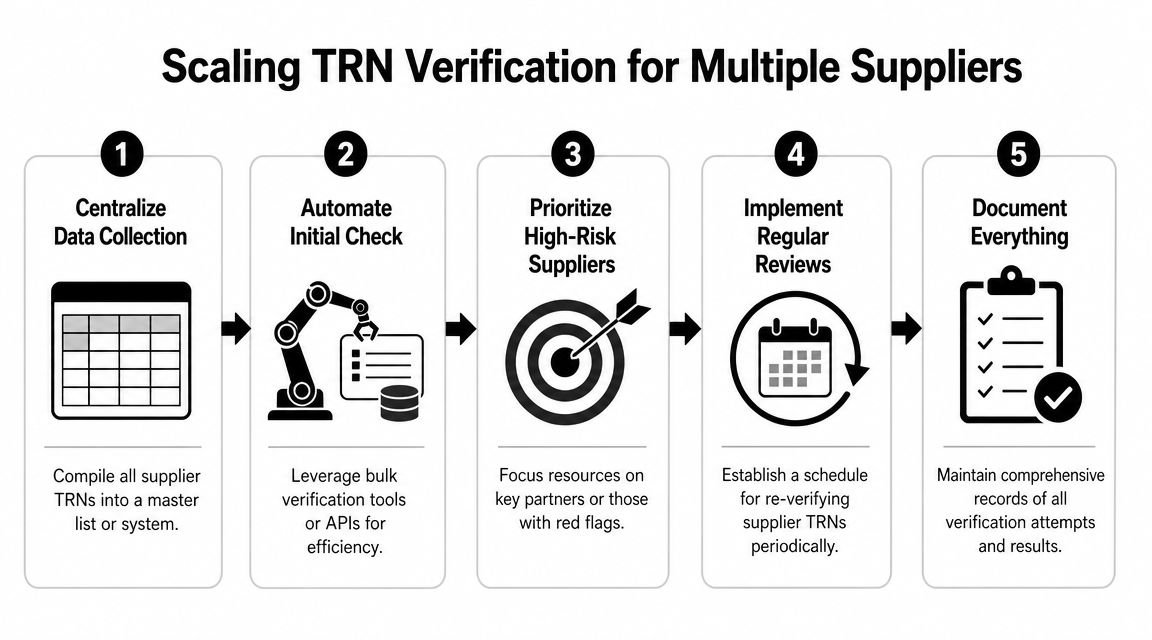
When does manual checking stop working
Manual checks usually fail in ordinary ways. One team onboarded the supplier months ago but never checked again. Another team enters the TRN into the accounting system with spaces or punctuation. Someone in procurement stores the trading name while finance books invoices under a different legal name.
Those errors are not dramatic. That's why they persist.
The businesses that handle this better usually recognise a trigger point early. Once supplier volume grows or invoice approval is shared across staff, they stop treating TRN verification as an individual habit and start treating it as a process requirement.
What process works better for growing teams
Operational guidance in the UAE recommends a two-layer validation approach: enforce the TRN's exact 15-digit format in ERP or master-data fields, then perform an FTA portal lookup or API-based validation at supplier onboarding and before invoice posting, as outlined in Tadqiq's guidance on FTA TRN verification controls. That structure matters because it separates formatting control from registration control.
In practical terms, that means:
- Master data control first: Don't allow staff to save malformed TRNs in your supplier record.
- External validation second: Check the TRN against the official source when the supplier is created and when the invoice is about to be posted.
- Exception handling third: Route mismatches to one owner instead of letting several departments debate the issue in email.
The strongest control is often the dullest one. A field that rejects the wrong format prevents hours of back-and-forth later.
Where do API and ERP checks fit
If you use an enterprise resource planning system, or ERP, your aim should be consistency, not technical complexity for its own sake. Some businesses need a simple checklist and portal lookup. Others benefit from connecting verification into onboarding and invoice posting flows so the check happens where work already occurs.
A sensible decision guide looks like this:
| Situation | Better fit |
|---|---|
| Small team, few suppliers | Manual portal checks with saved evidence |
| Growing finance function | Structured onboarding plus repeat checks before posting |
| Multi-entity or system-led approval process | ERP field controls and API-supported validation |
What doesn't work is partial automation without ownership. If the system flags an issue but nobody is responsible for resolution, you haven't solved the compliance risk. You've only moved it to a dashboard.
Common TRN Verification Errors and How to Fix Them
Most TRN problems are not technical failures. They are documentation failures, naming failures, or timing failures. That is good news, because those are fixable with a better routine.
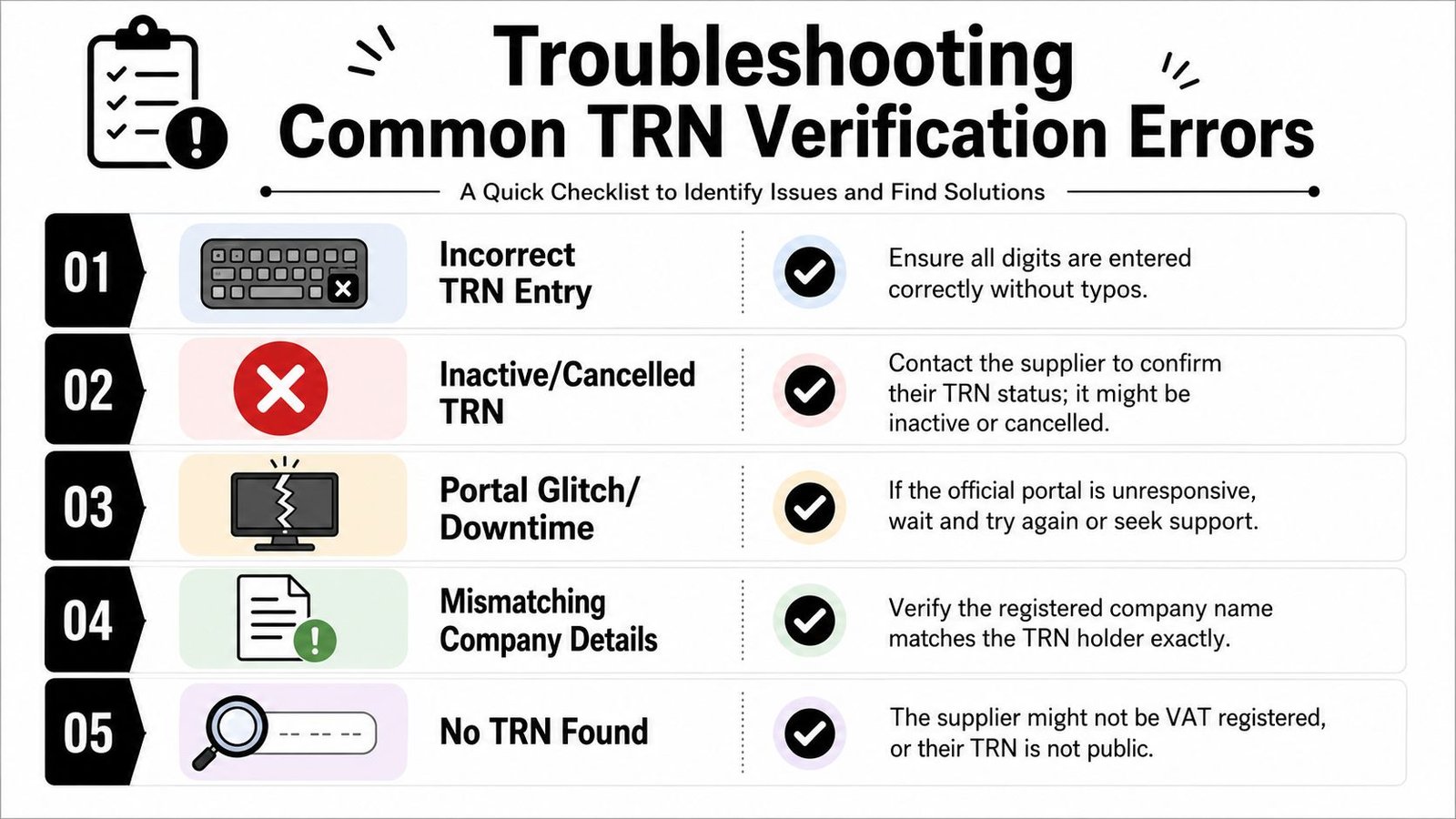
Why does the name on the portal not match the invoice
This is one of the most common points of confusion. The portal may return the registered legal entity name, while the invoice header shows a trading name, brand name, or group identity. That difference can be innocent, but it still needs to be explained and documented.
If the names differ, don't settle for “that's just our brand”. Ask the supplier to confirm the invoicing entity in writing and, if needed, issue the invoice with the legal name aligned properly. Your accounts file should make sense to someone who knows nothing about the commercial relationship.
A practical review checklist helps:
- Start with the legal name: Match it to the portal result, not just the logo on the PDF.
- Check bank detail changes carefully: A change in banking instructions often justifies re-checking supplier identity.
- Review contract party names: If the contract is with one entity and the invoice comes from another, stop and reconcile that before payment.
What should you do with an invalid TRN result
If the portal result is invalid, resist the urge to smooth it over. Don't assume the supplier made a harmless typo and proceed anyway. Ask for a corrected TRN or a corrected invoice before you process the VAT element.
In such instances, calm discipline is vital. Teams under month-end pressure sometimes book the invoice first and promise to tidy it up later. That approach creates two problems. The supplier issue remains unresolved, and your own records now show reliance on an unverified tax document.
If the TRN result is invalid, treat the VAT position as unresolved until the supplier corrects the record.
Sometimes the fix is simple. The digits were entered incorrectly. The invoice shows the wrong entity. The supplier changed legal details and didn't update its templates. But until you know which one it is, the invoice should stay in exception status.
How should you document checks for audit defence
This is the part many guides skip, and it's the part that often matters most later. The lookup itself only takes seconds. The evidence of that lookup is what makes your process defensible if anyone ever asks how you validated a supplier.
One UAE-focused accounting source recommends building TRN checks into vendor onboarding, first VAT invoice review, and any change to legal name or bank details, while saving a screenshot of the FTA or EmaraTax result with the invoice, as noted in Daftra's discussion of TRN verification workflow and documentation. That is a practical standard because it ties the check to real business events.
A simple documentation method usually works best:
- Save a screenshot or PDF of the portal result.
- Store it with the invoice and supplier record.
- Note who checked it and when.
- Re-check when the supplier's legal or payment details change.
That creates a repeatable trail. It also lowers stress for whoever handles future VAT reviews, because they won't need to reconstruct decisions from old email threads.
Building a Compliant Workflow with Inpro
The main thing to understand is that the portal check itself is not the hard part. The UAE guidance around TRN verification consistently points in that direction. The official process is online, free, and typically returns an instant result including the registered business name, as described in The Accountant's overview of TRN verification in the UAE. The primary value sits in the workflow you build around that check.
When should TRN checks happen
For most businesses, three trigger points create a sensible baseline. Check when you onboard the supplier. Check when you review the first VAT invoice. Check again if the supplier changes legal name, bank details, or other identity information.
That approach works because it follows operational risk, not theory. Suppliers don't create problems only at onboarding. Problems often appear when details shift in the background and nobody updates the finance file.
What makes a workflow defensible
A defensible process is one that another person can follow without interpretation. It should tell staff where the TRN is captured, who verifies it, what counts as a mismatch, when escalation is required, and where evidence is stored.
A light workflow often beats an elaborate one. For many founders and smaller finance teams in Dubai, Abu Dhabi, or elsewhere in the United Arab Emirates, the most reliable setup is:
- One owner for supplier tax checks
- One approved place to store evidence
- One exception path when names, numbers, or invoices don't align
If your team is still handling this manually, that's fine. The point is consistency. If your business is growing and the checks are becoming scattered, that's usually the moment to formalise the workflow before the cracks widen.
Not sure where to start? Inpro Corporate Services L.L.C. helps businesses in the UAE set up practical compliance workflows around VAT, accounting, company formation, and ongoing regulatory administration, so routine checks like TRN verification don't depend on memory or last-minute fixes. Book a free strategy call to discuss your setup.